WORDPRESS & WOOCOMMERCE PLUGIN

Help shoppers find, buy and book in chat.

Answer from your WordPress content, guide shoppers to the right products and book appointments in the same conversation.

Bring Your Own Key

AI chat requires your own API key from OpenRouter or another supported provider.

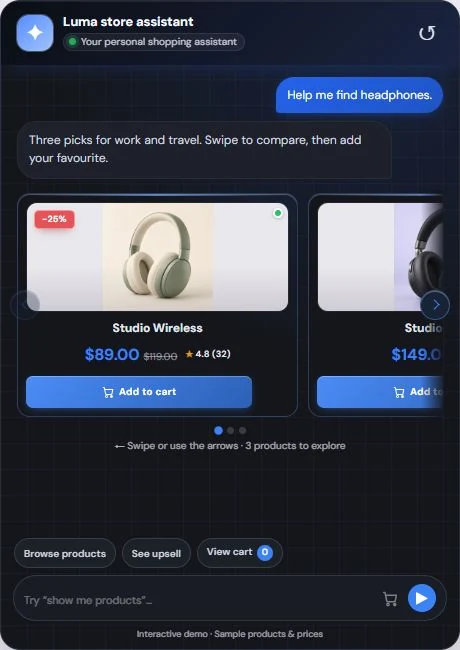
Shopping demo preview

UltraChatbot conversation with sample WooCommerce product cards

Chat theme

● Midnight

Theme: Midnight

Connect your AI provider

Paste your API key in Chat Settings → Connection, choose a model and test your first reply. AI requests use your provider account, billing and rate limits.

Supported providers

OpenRouter

OpenAI

Gemini

Claude

GLM

OpenAI-compatible APIs

Free and lifetime plans

Choose the features and site allowance you need. Every plan connects to your own AI provider account.

Free

$0

Basic plan in WordPress

Answer questions from your site content.

Pro

$29

Lifetime · 1 site

Help shoppers buy and visitors book.

Agency

$299 $499

Lifetime · up to 10 domains

Use Business features across client sites.
AI usage is billed separately. Your provider’s pricing and limits apply on every plan.
Eligible sites can try Business for 7 days ↗

Capability

Free

Pro

Business

Agency

AI chat, Knowledge Base, voice and statistics

Included

Included

Included

Included

Languages, RTL and proactive triggers

Included

Included

Included

Included

Product finder, cart, coupons and recovery

—

Included

Included

Included

Bookings, leads and human handoff

—

Included

Included

Included

AI Guidance, summaries and premium themes

—

Included

Included

Included

Conversion events and developer reports

—

Included

Included

Included

White label, email templates and lead webhooks

—

—

Included

Included

Settings backup and migration

—

—

Included

Included

See how it works in chat

Explore the shopping demo or see what customers see when they book an appointment.

PRO

Help shoppers find the right product

A visitor describes what they need. Your assistant searches the catalogue and presents useful choices with the details that matter.
This preview uses fictional products and prices; your installation uses your WooCommerce catalogue.

PRO

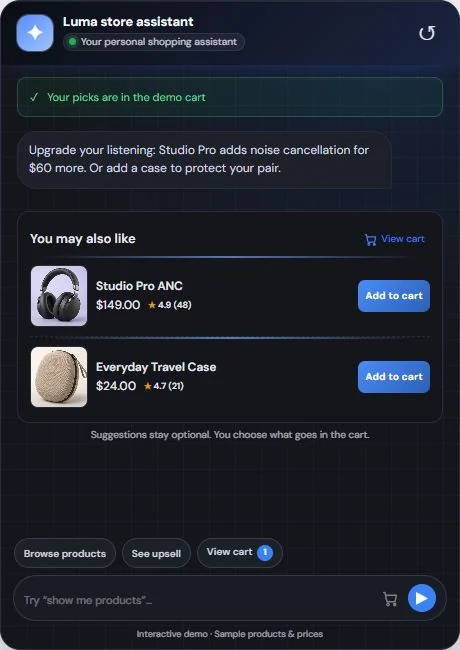
Offer upgrades and add-ons

An add-to-cart can be the beginning of a better choice. Surface an upgrade or a useful extra while the shopper is already engaged.

UPSELL

A reason to upgrade.

Studio Wireless → Studio Pro. Show a premium alternative with a clear benefit: noise cancellation.

CROSS-SELL

A more complete setup.

Headphones + a travel case. Suggest a complementary item that fits the purchase.
Uses your linked WooCommerce upsells and cross-sells after a successful add. Shoppers decide which suggestions to add.

PRO

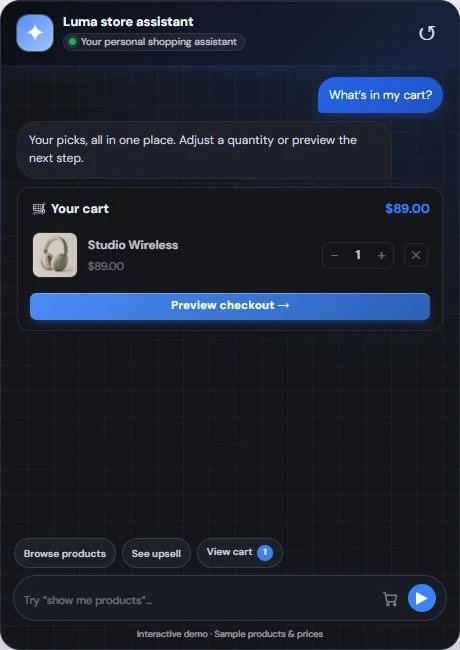
Take shoppers from cart to checkout

“What’s in my cart?” becomes an actionable answer. Shoppers can review items, change quantities and head to your WooCommerce checkout.
The checkout, shipping, taxes and payment remain handled by WooCommerce.

PRO

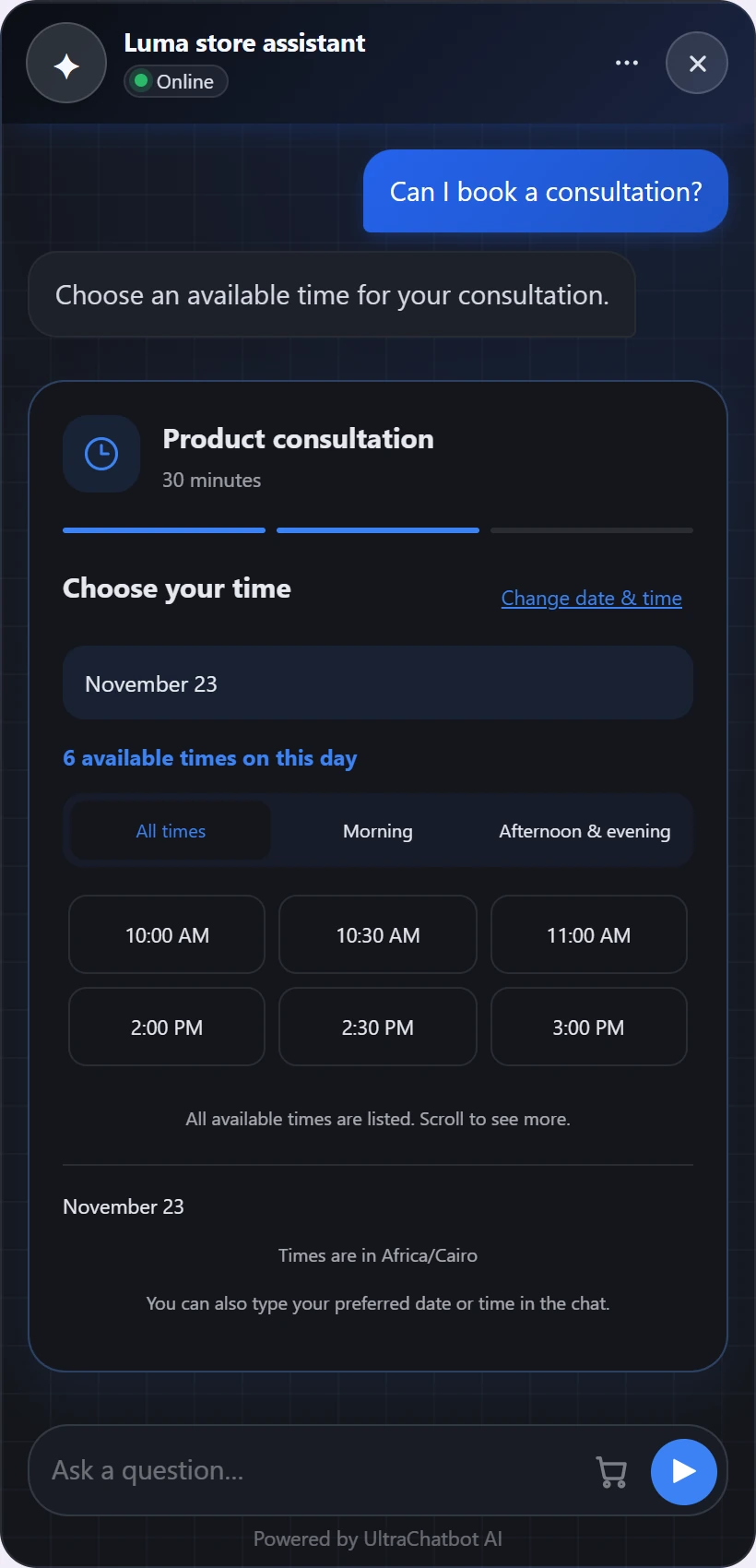
Let customers book an available time

Give service customers a clear path to an appointment, with available times and the details you need to prepare.
Illustrative availability. Your configured calendar, schedule and existing bookings determine the available times.

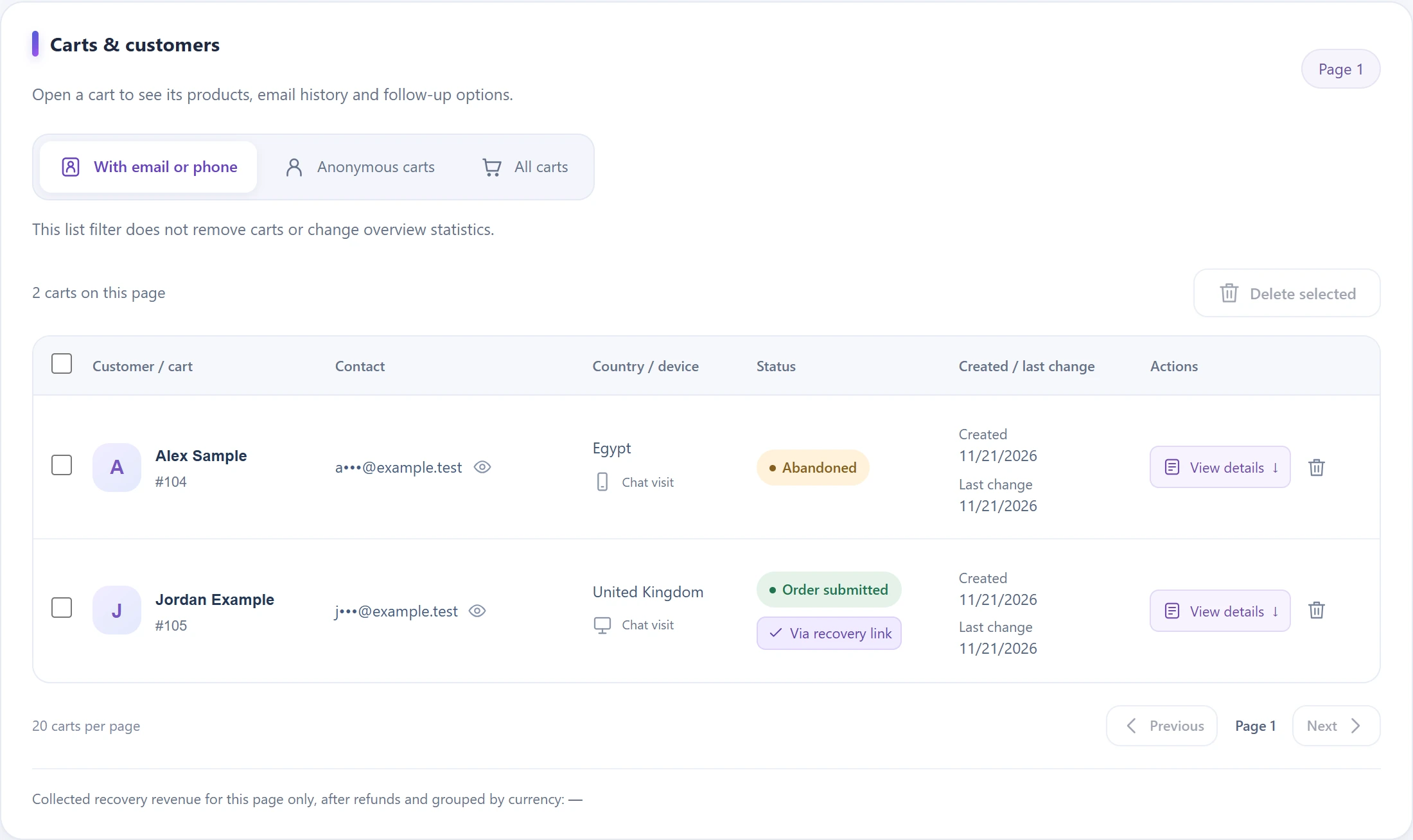
Follow up on abandoned carts

Offer help while shoppers browse, then use eligible email reminders to invite them back. Keep the cart, customer context and recovery activity together.
Pro and above · Requires WooCommerce, eligible contact details, scheduling and email delivery.
UltraChatbot AI / Cart recovery
Real plugin interface with illustrative customer data.

Answer with your knowledge and your team

Use your policies and approved answers, and let an operator take over when someone needs a person.

≋

Knowledge Base

Index policies, PDFs, pages and products. Test retrieval and keep your knowledge current as your business changes.

✧

AI Guidance

Review a conversation, refine an answer and approve it as guidance. Compare results before it reaches visitors.

↔

Human handoff

Keep context in the conversation inbox. Take over a support request and return control when the assistant can help again.
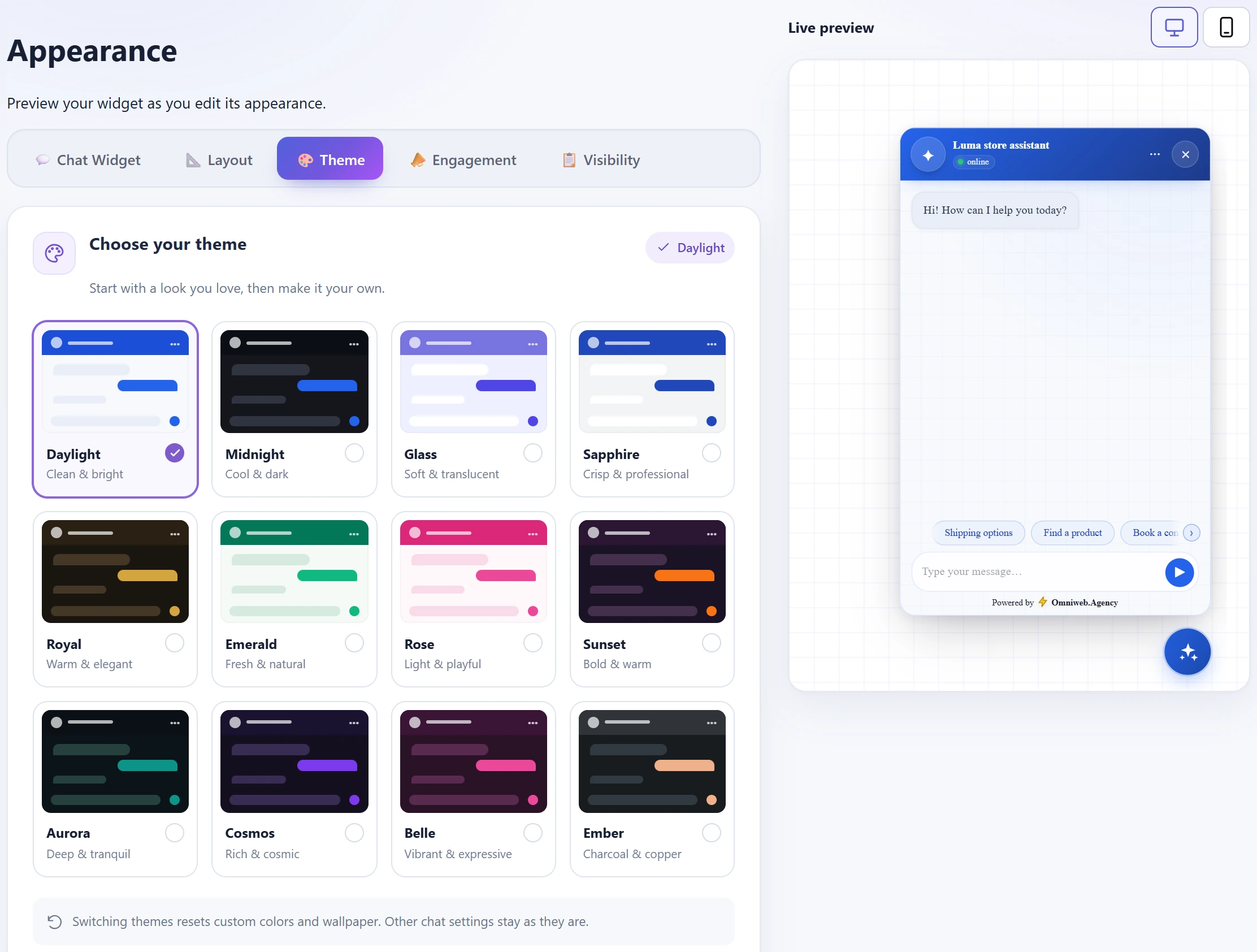
UltraChatbot AI / Appearance

Daylight

Midnight

Ember · Pro

Match your brand and your visitors’ language

Make the assistant feel at home. Style the widget, choose a premium palette or wallpaper, and tune the experience for desktop and mobile.
Speak to more visitors with language controls, Arabic and RTL support, voice, and separate editors for chat and dashboard translations.
Basic includes Daylight and Midnight. Premium themes, wallpapers and custom colors require Pro, Business or Agency.

See what visitors ask and what they do next

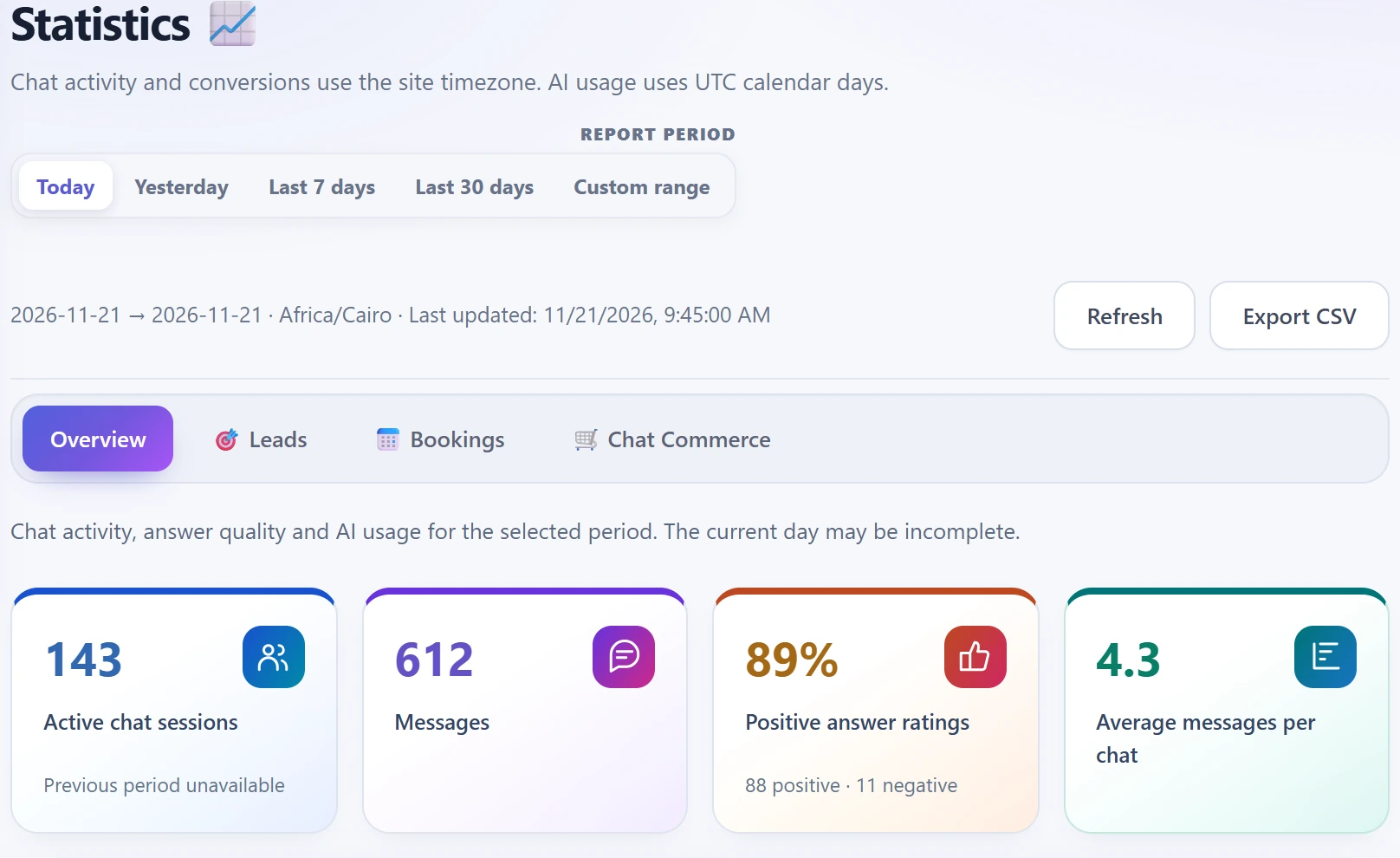
Review what visitors ask, where answers fall short and how your enabled store or booking features are used. Then improve the right part of the experience.
UltraChatbot AI / Statistics
Illustrative data. Reports describe recorded activity; results depend on your site, traffic and configuration.

Explore features by task

Filter the features to find what you need and see which plan includes it.

ALL PLANS

AI chat & provider choice

Build your assistant with OpenAI, Gemini, Claude, GLM, OpenRouter or a compatible endpoint.

ALL PLANS

Answers grounded in your content

Retrieve useful passages from files, policies, pages and products, with source citations.

PRO

AI Guidance

Test and approve reply examples and curate product recommendations.

ALL PLANS

Voice conversations

Browser speech, cloud transcription, spoken answers and configured realtime voice.

PRO

Product cards & variations

Show images, current prices, ratings and selectable product options inside the conversation.

PRO

Guided product discovery

Turn a shopper’s preferences into a focused set of products with a configurable finder.

PRO

An actionable cart

Let customers review items, adjust quantities and follow the checkout link from chat.

PRO

Coupons & discounts

Offer controlled discounts using your configured store rules.

PRO

Upsells & cross-sells

Recommend a premium alternative or a complementary product after an add-to-cart, using your linked WooCommerce products.

PRO

Abandoned cart recovery

Combine on-site help with eligible email reminders and useful recovery insights.

PRO

Order tracking

Help customers check an order after verifying its number and billing email.

PRO

Appointments & payments

Connect Google Calendar, configure services and link bookings to WooCommerce payments.

PRO

A human when it matters

Review conversations, take over support requests and hand control back to the assistant.

PRO

Lead capture

Collect visitor contact details and review or export leads.

BUSINESS

Lead webhooks

Send supported lead events to your workflow.

ALL PLANS

A look that belongs to you

Choose your palette, position and avatar. Pro adds premium themes and wallpapers.

ALL PLANS

Language without friction

Choose chat and reply languages, preview RTL and review translation coverage.

ALL PLANS

Proactive assistance

Invite a conversation with configured timing, scroll and exit-intent prompts.

ALL PLANS

Statistics you can use

Review activity, quality, usage and the outcomes of enabled store and booking features.

PRO

Conversion measurement

Follow supported cart, checkout and coupon events with attribution context.

BUSINESS

White label & email design

Shape the assistant’s brand identity and customer email templates for your sites.

BUSINESS

Settings that travel

Export settings and review imports, with optional guidance and translation content.

ALL PLANS

Privacy & usage controls

Set consent, retention and rate limits; use WordPress privacy export and erasure.

ALL PLANS

Alerts & diagnostics

Keep an eye on issues and renewals. Pro adds developer error reporting.
24 capabilities shown.
5 capabilities shown.
7 capabilities shown.
3 capabilities shown.
6 capabilities shown.
Frequently asked questions

Find answers about API keys, WooCommerce, and your UltraChatbot license.
Do I need an API key?
Yes. Bring your own API key from OpenRouter or another supported provider. Your provider account supplies the model access, usage allowance and billing.
Connect an AI provider →
Your AI provider API key enables chat replies. A paid UltraChatbot license key unlocks paid plugin features. The Free plan starts with your provider API key.
Yes. AI chat, knowledge, voice and statistics work with WordPress. WooCommerce powers product, cart and payment features.
WooCommerce setup →
Eligible sites can start a 7-day trial from the plugin after email verification.
Business trial guide →
In WordPress, open UltraChatbot AI → License, choose OmniWeb online purchase and enter your key.
License activation guide →
Lifetime purchases assign domains when first activated. Pro and Business cover one registered domain. Agency covers up to ten distinct domains. Deactivation keeps that assignment.
Reactivate on the registered domain or use your saved offline recovery file to restore the purchase.
Offline recovery guide →
Yes. Configure Arabic interface text and replies, and preview right-to-left layouts. You can also configure other languages and import translations.
Language and translation guide →

Start with the free plan

Install UltraChatbot AI, connect your API key and test a conversation on your site.
WordPress 6.0+ · PHP 7.4+ · UltraChatbot AI 1.0.0

Install the plugin

In WordPress, open Plugins → Add New → Upload Plugin and select the UltraChatbot AI ZIP.

Connect your API key

In UltraChatbot AI → Chat Settings → Connection, select your provider, paste your key and choose a model.

Test on your site

Save your settings, test a reply and open the chat widget from a page your visitors can see.
OmniWeb
Privacy Overview

This website uses cookies so that we can provide you with the best user experience possible. Cookie information is stored in your browser and performs functions such as recognising you when you return to our website and helping our team to understand which sections of the website you find most interesting and useful.