Ad management for WordPress

Run better ads.

Grow revenue.
Manage banners and Google AdSense, compare ad performance, and sell ad space or access to content from your WordPress dashboard.
Version 1.0.0 · WordPress 6.0+ · PHP 7.4+
Advertising performance
Example data

Inside the workspace

See how you’ll place ads, measure performance, and manage access to your content.
Included in Free

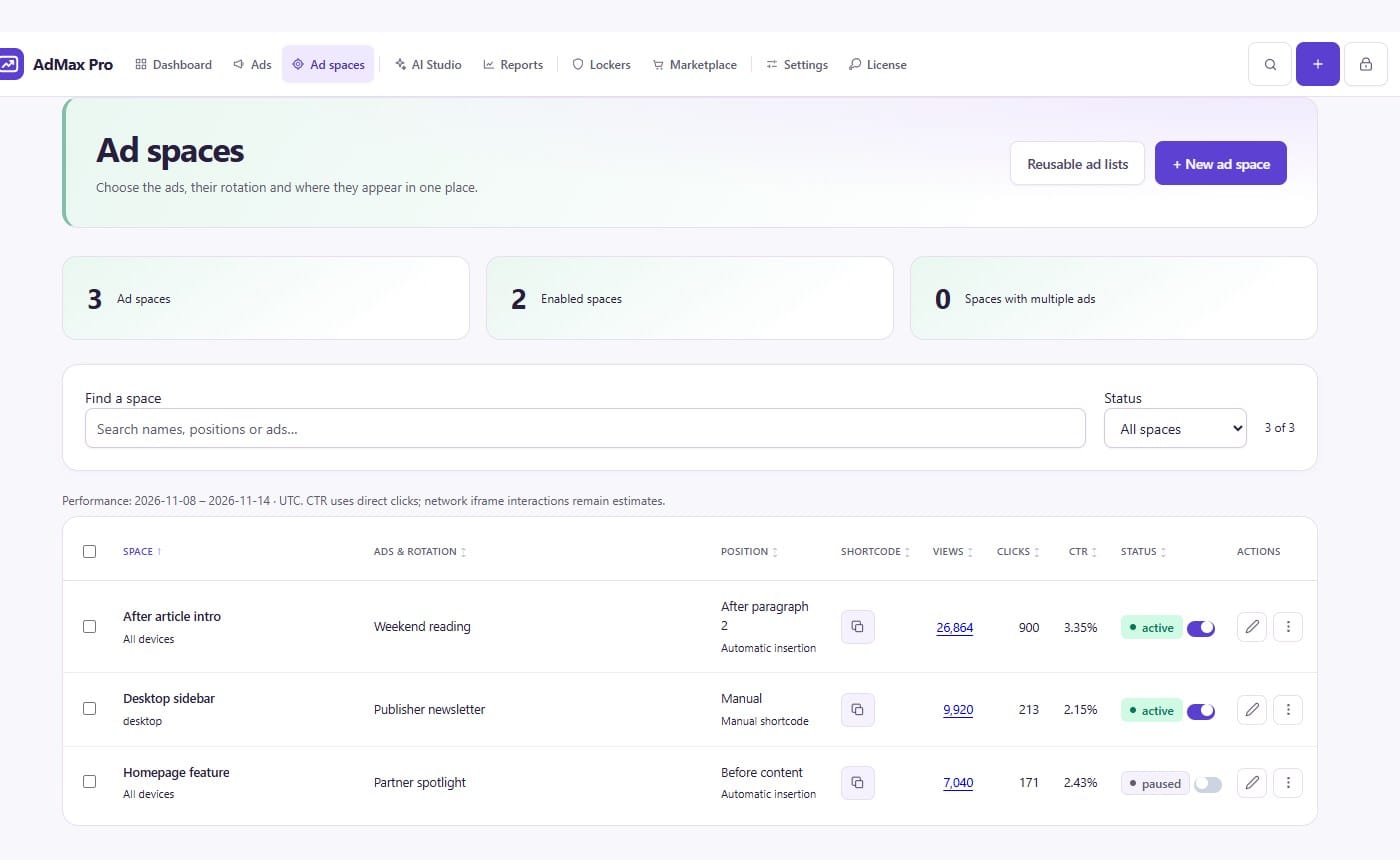
Choose where ads appear.

Build banners, Google AdSense units, and custom HTML ads. Set up automatic placements or copy a shortcode for a specific slot.
Ad spaces
Example data
Pro and above

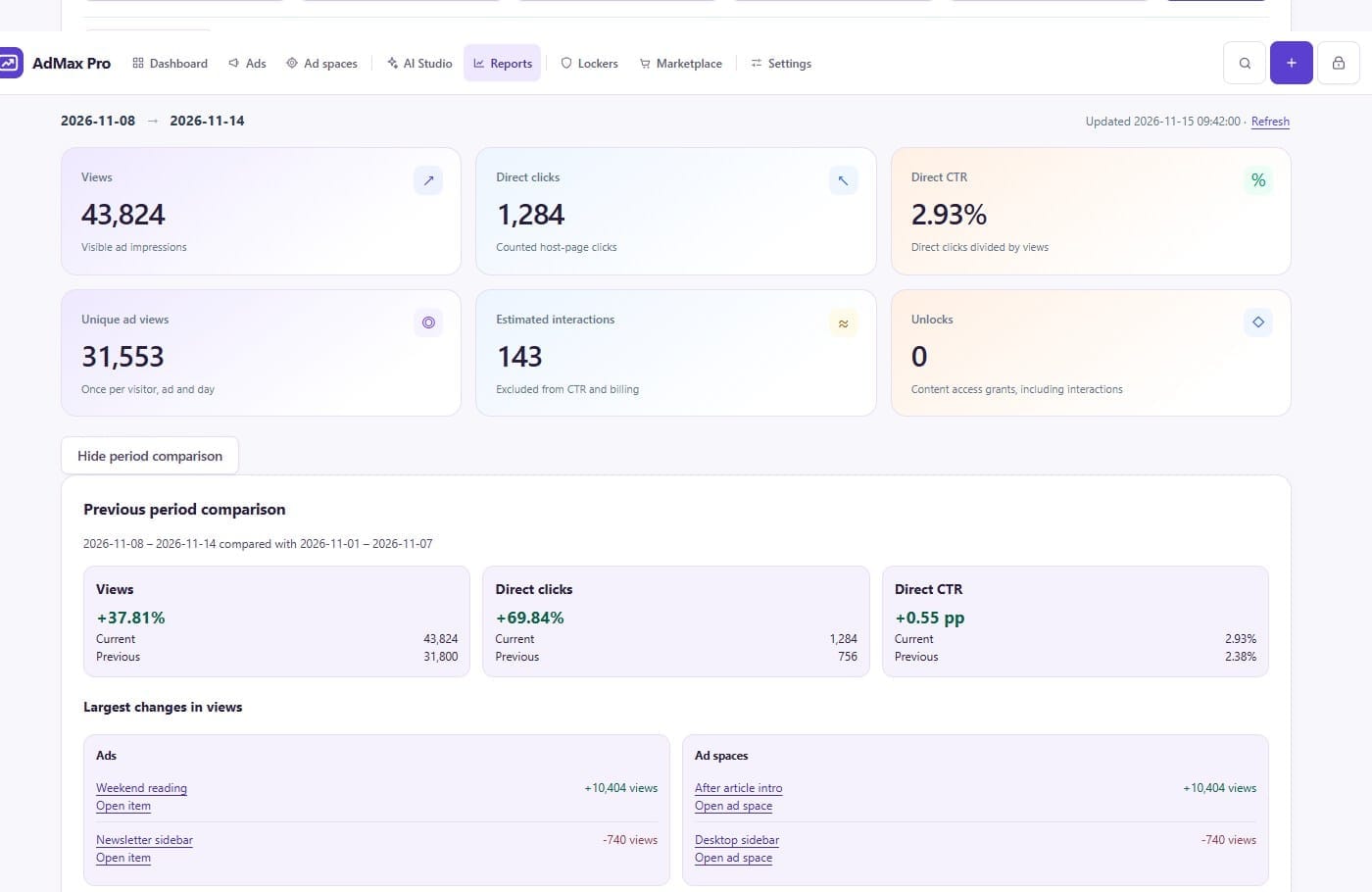
Find what changed.

Compare the same filters across two date ranges. See which ads and spaces gained or lost views and open the ones you want to investigate.
Reports
Example data
Business and Agency

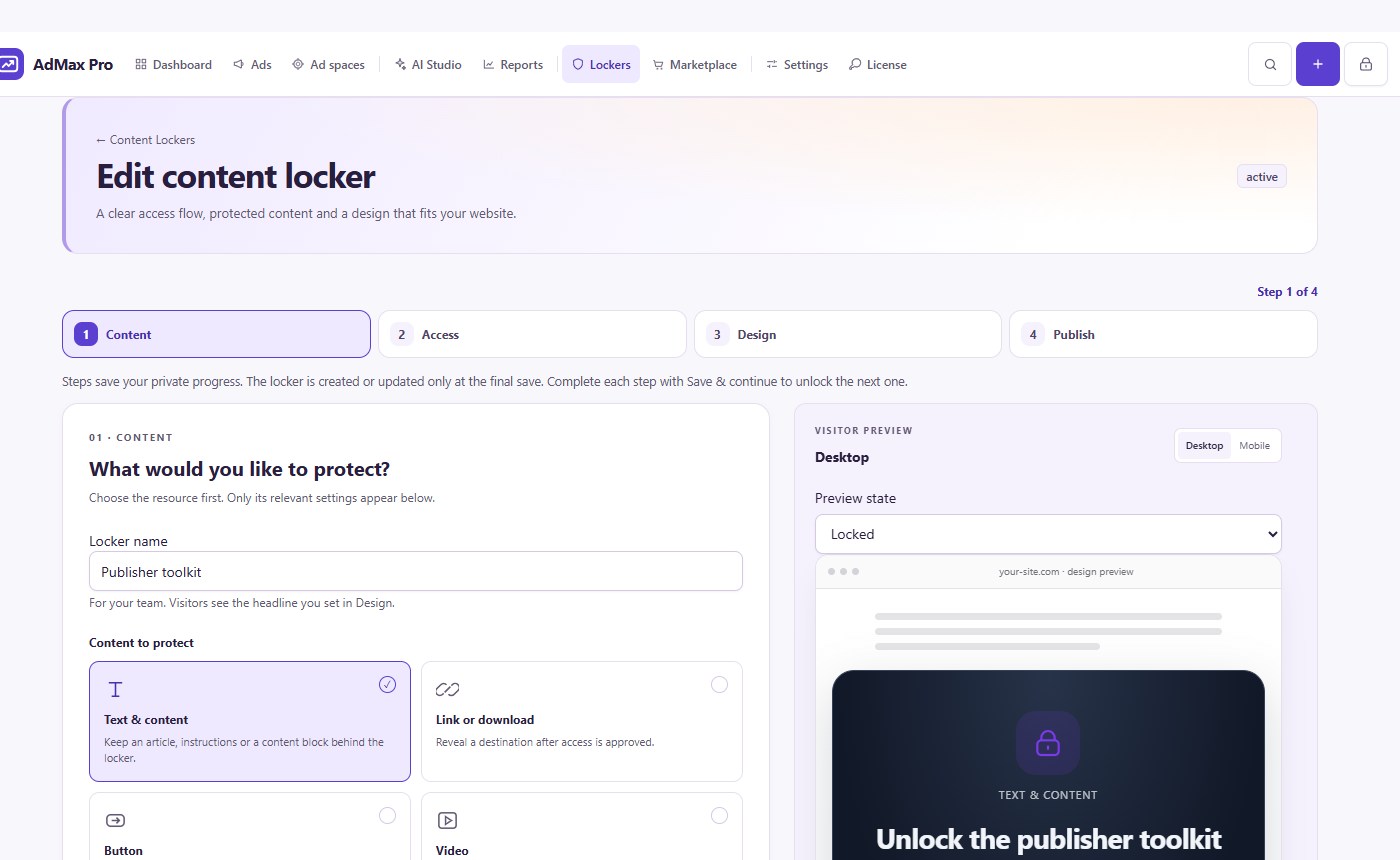
Decide how readers unlock content.

Protect a page, link, or download. Choose an interaction, a connected offer network, or paid access through WooCommerce.
Content Locker builder
Example setup

More control over how ads appear

Formats for different placements

Place a banner inside an article, pin one to the edge of the screen, or trigger a popup after a delay or scroll.
Inline
Sticky bar
Popup
Grid
Use image banners, video, custom HTML, Google AdSense, or Google Ad Manager in compatible formats. Multi-ad spaces also support carousels.

Target and rotate creatives

Choose pages, categories, devices, and user roles. Add country targeting with a configured location source, set start and end dates, and limit views per visitor session or day.
Rotate creatives randomly, assign weights, or split an ad group for A/B testing. Pro and higher include the A/B report.

Control delivery and tracking

Lazy-load eligible ads and reserve space for supported formats with known dimensions. Use client-side loading when ads need to change on cached pages.
Set consent requirements per ad and use configurable click filtering. Manage ads.txt and AdSense Auto ads from WordPress.

Let advertisers buy space on your site

Ad space selling is available with Business, Agency, and the seven-day Business trial. Purchases use WooCommerce checkout.

Choose a package

Offer packages billed by click (CPC), per thousand impressions (CPM), or by day (CPD). Per-click packages use image banners with a destination link.

Submit a creative and pay

Advertisers preview their creative in the order form and pay through WooCommerce. Enable moderation to review creatives before they run.

Track and renew a campaign

Signed-in advertisers can view campaign stats, edit their creative, and renew eligible orders.

Plans and pricing

Start on Free. Paid plans are one-time lifetime licenses in USD.

Free

Publish your first ads
$0
Free to use

Pro

Reporting and creative tools
$29
Lifetime · 1 site

Business

For content and ad sales
$49 $69
Lifetime · 1 site

Agency

For multiple client sites
$249 $499
Lifetime · up to 10 domains
Feature
Free
Pro
Business
Agency
Ad publishing, placement, and targeting
Yes
Yes
Yes
Yes
Dashboard views, clicks, and CTR
Yes
Yes
Yes
Yes
Reports, CSV, and scheduled email
—
Yes
Yes
Yes
Branded advertiser PDFs
—
Yes
Yes
Yes
AI Studio and linked banner variants
—
Yes
Yes
Yes
Content Locker setup
—
—
Yes
Yes
Ad space selling
—
—
Yes
Yes
Sites per license
No key needed
1
1
Up to 10

Try Business for seven days

Install the plugin and verify your email in License Manager. Eligible domains get one trial and return to Free when it ends.

Common questions

Yes. You can create a Google AdSense ad, choose an automatic placement, apply audience rules and see the Dashboard’s overview metrics. Use your own AdSense account and ad units.
Use Business, Agency or an active Business trial. The Pro plan can review existing locker activity in Reports.
WooCommerce is required for new Marketplace purchases and for paid WooCommerce access through Content Locker. It’s optional for regular ads and reporting.
Use the built-in importers for supported ad records from Advanced Ads, Ad Inserter, or QUADS. Review the imported ads and their placements before enabling them.
Enter the purchase code in License Manager on the site you want to activate. The site keeps its verified activation locally. Pro and Business cover one hostname. Agency covers up to ten assigned domains.

Get started with AdMax Pro

Install the plugin

In WordPress, open Plugins → Add New Plugin → Upload Plugin. Choose your AdMax Pro ZIP, install it, and activate it.

Activate a license or start the trial

Open AdMax Pro → License Manager to activate a purchase code or verify your email for an eligible Business trial.

OmniWeb
Privacy Overview

This website uses cookies so that we can provide you with the best user experience possible. Cookie information is stored in your browser and performs functions such as recognising you when you return to our website and helping our team to understand which sections of the website you find most interesting and useful.