
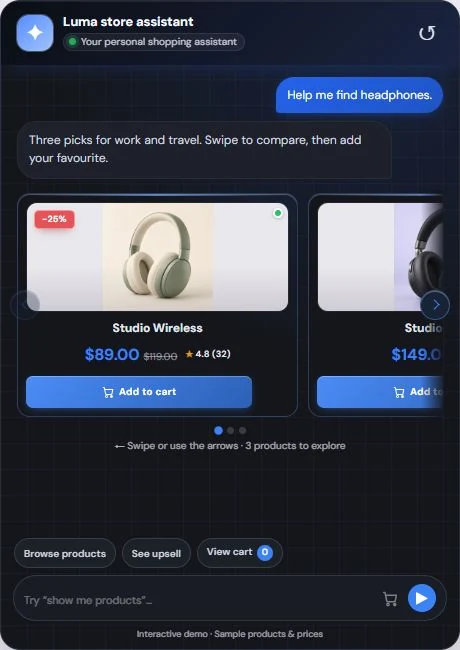
To recommend WooCommerce products in chat, connect the assistant to your live catalogue, enable product search, and test its answers against the store’s actual prices, stock and variations. UltraChatbot AI provides WooCommerce store tools on Pro and higher plans. It also needs a working AI provider connection.
Prepare the catalogue first
Choose a small group of published products that are useful for testing. Include a simple product, a variable product and an unavailable option. Add the attributes a customer would consider, such as size, compatibility or price. A vague product title and an empty description make it harder to match a realistic request.
Use a staging store when possible. A sample test catalogue might include a standard wireless headset, a noise-cancelling model and a travel case. The inventory, prices and product names in the example are illustrative. Use your own store data when checking whether the integration is ready.
Connect the provider and enable WooCommerce tools
- Complete the AI provider connection and test. The provider account and its usage are billed separately from the plugin.
- Open the plugin’s WooCommerce settings. Enable store tools and product search. Enable add-to-cart when you are ready to verify the full shopping flow.
- Choose a practical card layout with useful images and prices. Keep the first response short enough for a shopper to scan on mobile.
- Open the visitor widget and compare its product cards with the matching WooCommerce product pages. Verify sale prices and the exact variation.
- Run a full cart test with a valid variation. Verify the item and quantity in the cart before continuing toward checkout.
The WooCommerce integration guide covers product cards, variations and cart capabilities.
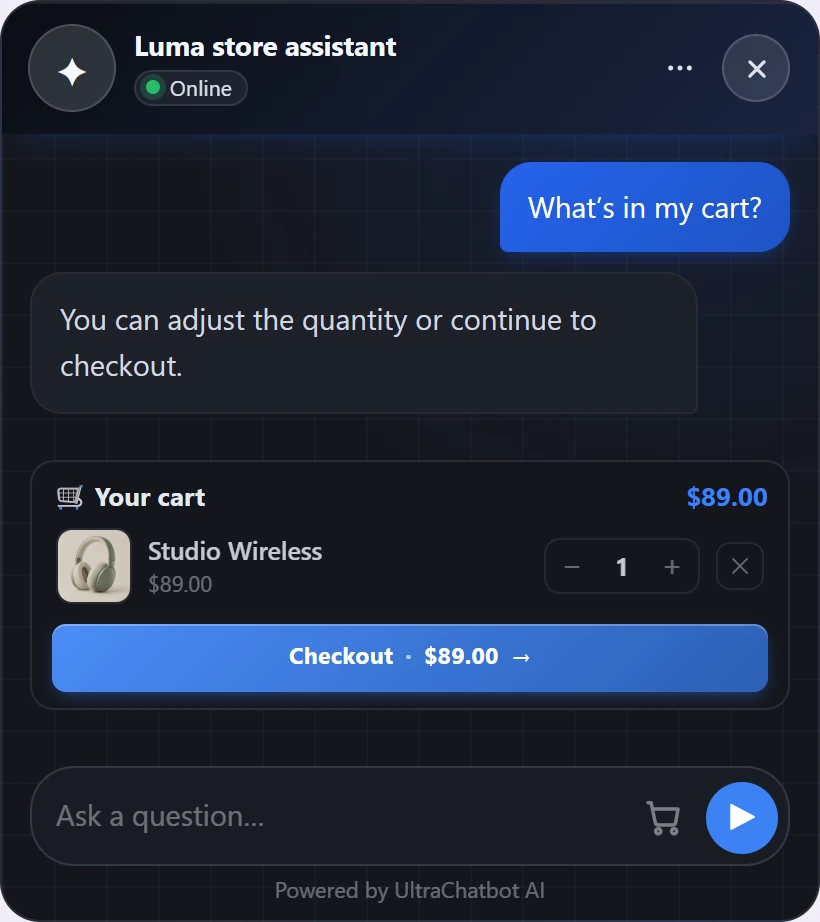
Test what a shopper would actually ask
A clear match. Ask “Show me wireless headphones for commuting under my budget.” Check that the result actually matches the attribute and price mentioned. Confirm that any displayed options are available.
Missing information. Ask “Will this fit me?” with no size or model. A useful next response asks what it needs to know or points to the product’s published size guide.
No matching option. Ask for an unavailable color or for a price below your cheapest eligible item. The chat should make the outcome clear and offer alternatives that match the catalogue instead of inventing inventory.
For a large range, the guided product finder can ask a short set of preference questions. Build those questions around real catalogue attributes.
Offer an add-on only where it helps
WooCommerce’s Linked Products settings let you define upsells and cross-sells. An upgraded headset is an upsell. A travel case is a cross-sell. In UltraChatbot, enable the recommendation source you want, then test it after an item is added successfully. Check that the shopper still chooses what to add and can review the cart.
Does the free plan include product cards and cart actions?
Core AI chat and Knowledge Base are available on the free plan. WooCommerce store tools, product cards and the guided product finder require Pro or higher. Check the current plans before planning the rollout.
If shoppers also ask about delivery or returns, add the store policy setup workflow before you launch.